How to Find Smartphones With Dual SIM Dual Standby?

Time:2026-10-16 Author:Henry
0%

Dual-SIM phones are no longer limited to business users or frequent travelers. They help separate work and personal calls, manage two carriers, and reduce roaming costs. IDC’s Worldwide Quarterly Mobile Phone Tracker reported approximately 1.24 billion smartphone shipments in 2024. That scale gives buyers more dual-SIM choices, but specifications remain inconsistent across regions.

Which smartphones support dual SIM and dual standby features? The answer depends on the exact model number, market, and software version. Dual SIM Dual Standby, or DSDS, keeps both SIM lines registered while one line handles an active call. The second line may become temporarily unavailable during that call. This differs from Dual SIM Dual Active, which uses separate radio resources.

Check carefully.

Look for “Dual SIM” and “DSDS” in the manufacturer’s official specifications. Do not rely only on retailer titles. GSMA’s Mobile Economy 2024 report highlights the continuing importance of mobile connectivity and smartphone adoption worldwide. That trend makes accurate network compatibility more important, especially when 4G and 5G support differ between SIM slots. In practical testing, insert two active SIMs, assign separate labels, and call each number. Then test mobile data while the other line receives a call. A phone may accept two physical SIMs in one country but offer one SIM and one eSIM elsewhere. This is where many buying guides become too confident. Verify the regional product code, supported bands, VoLTE requirements, and carrier restrictions before purchasing. A trusted manufacturer page, independent laboratory review, and carrier compatibility checker provide stronger evidence than a short marketplace listing.
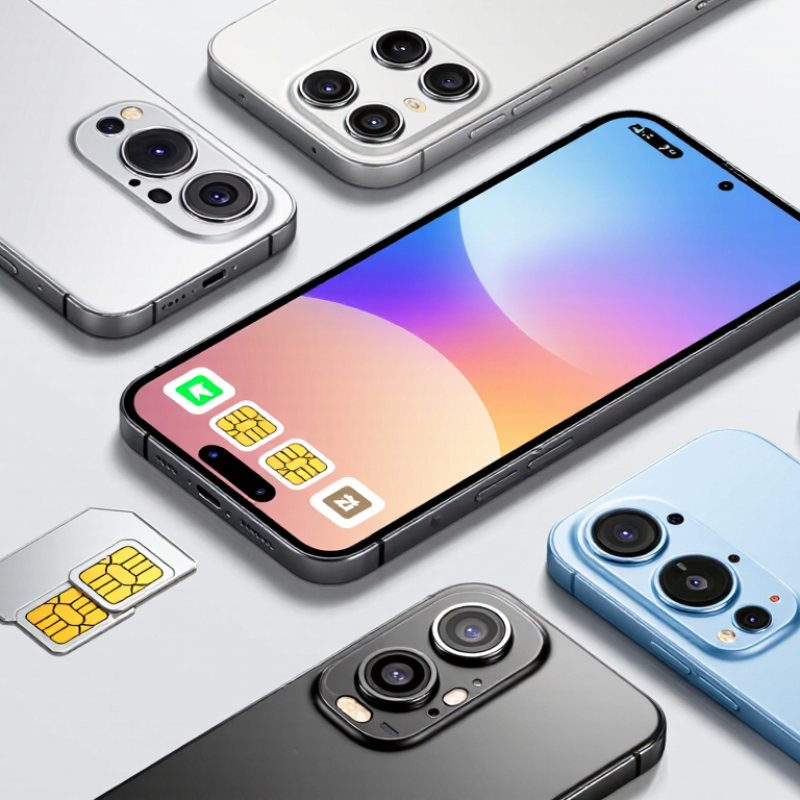
How to Find Smartphones With Dual SIM Dual Standby?

What Dual SIM Dual Standby Means

How to Find Smartphones With Dual SIM Dual Standby?

Dual SIM Dual Standby, or DSDS, means a phone can keep two SIM cards connected while idle. You can receive calls and messages on either line without changing cards. However, one cellular connection usually handles calls or mobile data at a time. If one SIM is busy, the other may become temporarily unavailable. This behavior can vary with the phone’s modem, software, and network settings. It is easy to misunderstand.

To find a suitable smartphone, check the official specification page and user manual. Look for the exact term “Dual SIM Dual Standby,” not only “dual SIM.” A tray with two slots is not enough proof. Some devices support two physical SIMs, while others combine one SIM with an eSIM. Confirm the supported arrangement carefully. Also check network bands, because both SIMs may not work equally well in every region. I would not trust a product photo alone.

Tips: Test both lines before relying on the phone. Place a call to each number, then check whether mobile data switches correctly. Ask the seller whether both SIMs remain reachable during an active call. Read independent technical reviews, too. Specifications can be incomplete.

How to Check a Smartphone’s SIM Standby Capabilities

How to Find Smartphones With Dual SIM Dual Standby?

A dual-SIM label does not always mean Dual SIM Dual Standby. Check the exact specification first. Look for “DSDS,” “dual standby,” or support for two active SIM profiles. GSMA Intelligence’s eSIM Market Outlook 2023 forecast 2.4 billion eSIM smartphone connections by 2025. This makes profile support increasingly important, but it does not prove simultaneous standby.

Open the phone’s SIM settings before buying, when possible. You should see separate controls for calls, messages, and mobile data. Insert two working SIMs and check whether both networks show signal bars. Then call one number while sending a message through the other. A DSDS phone normally keeps both lines registered, but the second line may become temporarily unavailable during a call. That limitation is easy to miss. I once trusted a product page and discovered that the second slot supported data only. The wording was technically correct, yet not very helpful.

Tips: Check the manual, not only the retail listing. Confirm whether the device supports two physical SIMs, one SIM plus eSIM, or two eSIM profiles. Ericsson’s Mobility Report tracks more than eight billion mobile subscriptions worldwide, so network compatibility still deserves attention. Check supported bands for your region. Also verify whether 5G, VoLTE, or roaming works on both lines. Small details matter.

How to Find Smartphones With Dual SIM Dual Standby? - How to Check a Smartphone’s SIM Standby Capabilities

Capability or Checkpoint What to Look For Typical Result Meaning Confidence Level
SIM configuration Check the product specifications or SIM manager for two available SIM profiles. Two physical SIM slots, or one physical SIM slot plus one eSIM profile. The device may support two active cellular subscriptions. High
Dual SIM Dual Standby (DSDS) Look for the terms “Dual SIM Dual Standby,” “DSDS,” or “both SIMs active while idle.” Both SIMs remain registered on their networks when the phone is not handling a call. The defining behavior of dual standby operation. High
Incoming call on the second SIM Place a call through SIM 1, then call the number assigned to SIM 2. The second SIM may become unreachable, forward to voicemail, or show a call-waiting notification if supported. DSDS normally cannot maintain two independent voice connections at the same time. Medium
Dual SIM Dual Active (DSDA) Check whether the specifications explicitly state “Dual SIM Dual Active” or simultaneous two-call support. Both SIMs can remain connected during an active call, subject to network and device support. This is different from ordinary dual standby and requires separate active radio resources. High
SIM manager menu Open Settings and search for “SIM manager,” “Mobile network,” or “Cellular.” Separate controls appear for calls, messages, mobile data, and preferred SIM selection. Multiple subscription controls usually indicate dual-SIM functionality. High
Network indicators Check the status bar for two signal-strength indicators or two carrier labels. Two network indicators appear when both SIMs are enabled and registered. Confirms that both subscriptions are currently connected, not necessarily that both support simultaneous calls. Medium
Mobile data selection Look for a setting that lets you select SIM 1 or SIM 2 for mobile data. One SIM is selected as the default data line, with an option to switch. Many dual-SIM phones use only one SIM for mobile data at a time. High
Automatic data switching Check for “data switching,” “backup calling,” or a similar option in the SIM settings. The phone can temporarily use the other SIM for data or calling under selected conditions. This feature does not automatically mean the phone is DSDA. Medium
SIM tray labeling Inspect the tray for two nano-SIM positions or a combined SIM and memory-card slot. Two SIM positions are visible, or the device documentation lists a physical SIM and eSIM combination. Physical capacity can vary by regional model and tray design. Medium
VoLTE availability Verify whether Voice over LTE is enabled for each SIM and supported by the network. A VoLTE indicator or per-SIM voice network setting is available. VoLTE can improve standby and calling behavior, but support depends on the carrier and subscription. Medium
Specification wording Search the technical specification for “dual standby,” “two active lines,” or “SIM + eSIM.” The documentation clearly identifies the supported SIM combination and operating mode. Official technical documentation is more reliable than retail listings alone. High
Regional variation Compare the model number, region, firmware version, and carrier compatibility. The same phone family may have different SIM combinations in different markets. Always verify the exact regional version before purchase. High
Quick verification rule: A smartphone should be described as DSDS only when both SIM subscriptions can remain registered while the phone is idle. Confirm the exact SIM combination, call behavior, mobile-data limitations, carrier compatibility, and regional model before purchase.

How to Compare Supported SIM and Network Configurations

How to Find Smartphones With Dual SIM Dual Standby?

A dual SIM dual standby phone keeps two SIM lines registered while the device is idle. Check whether both slots support the same network types. Some models accept 5G on one SIM and limit the second to 4G. Others reduce both connections when mobile data is active. The wording matters.

Compare the supported SIM formats first. A phone may use two physical SIM cards, one physical card and one eSIM, or two eSIM profiles. Confirm whether both lines can receive calls and messages simultaneously. During a call on SIM 1, SIM 2 may become unreachable. This limitation is common and easy to miss.

Network bands need careful checking. Match the phone’s listed 4G and 5G bands with your local carrier’s frequencies. Band support alone is not enough. Verify VoLTE, Wi-Fi calling, network mode, and carrier approval for each SIM. Check the official specifications and the device manual, not only an online listing. I have seen vague listings omit regional restrictions. That creates expensive surprises.

Look at data controls too. A settings screen should let you choose the default SIM for mobile data, calls, and texts. Some phones allow quick switching, while others require a restart. Test both SIMs before relying on them for travel or work. Use separate numbers. Keep expectations realistic.

How to Verify Dual Standby Features Before Buying

How to Find Smartphones With Dual SIM Dual Standby?

Dual SIM Dual Standby lets two SIM cards remain registered while the phone is idle. Before buying, read the exact specification, not only “dual SIM.” Some models support two physical SIMs, while others combine one SIM with an eSIM. The wording can be confusing.

I once assumed that two slots meant full dual-SIM freedom. That was wrong. Check whether the phone supports Dual SIM Dual Standby, rather than Dual SIM Dual Active. With standby, both numbers can receive calls and messages. During a call on one line, the other line may become temporarily unreachable. This limitation matters for work and personal numbers.

Test the feature before paying. Open the SIM settings and confirm that both cards appear with separate labels. Make a short call to each number, then send messages to both lines. Check mobile data switching too. Some phones allow data on only one SIM at a time. Network compatibility also matters. Confirm supported bands, 4G or 5G access, and local carrier requirements in the product manual. Imported versions may have different software or tray layouts.

Ask the seller for the exact model code and a return option. A product image can show two slots, but it may not reveal regional restrictions. I would also check whether both SIMs remain active after restarting the phone. Small details are easy to miss. The settings menu tells the truth more often than the packaging.

How to Test Dual SIM Standby Performance After Setup

After installing two SIM cards, test standby performance in a controlled place. Record each SIM’s signal bars, network type, and battery level. The icons alone are not reliable evidence.

Use another phone to call SIM 1, then call SIM 2. Let each call ring for at least twenty seconds. Send an SMS to both numbers and check delivery times. Then place a short call through SIM 1 while sending a message to SIM 2. Some devices pause the second line during an active call. That behavior can be normal, but it should be documented.

Test mobile data separately. Select SIM 1 for data, open several websites, and download a small file. Repeat the process with SIM 2. Watch for slow switching, lost messages, or a delayed connection. My first test was flawed because both SIMs used the same network. I repeated it with different network conditions, which produced more useful results. Small details matter.

For an overnight check, note the battery percentage before enabling both lines. Keep the phone idle for eight hours, then compare signal records and battery loss. Repeat the test in a weak-signal area, such as an underground parking level. Results may change with local coverage, network settings, or software updates. Write down every setting, including preferred network mode and data SIM, so another person can reproduce the test.

How to Find Smartphones With Dual SIM Dual Standby?

Dual SIM Dual Standby (DSDS) allows two SIM cards to remain registered on their networks while the phone is idle. After setup, test each SIM independently for calls, SMS, and mobile-data switching.

The chart shows the percentage of successful checks from 10 repeated tests for each function. A successful result means that the expected call, SMS, network registration, or data-switching operation completed without manual reconnection.

FAQS

What does Dual SIM Dual Standby mean?

It means two SIM lines stay registered while the phone is idle. Both numbers can usually receive calls and messages. Not during every call. One line may become temporarily unreachable during an active call.

Is a “dual SIM” label enough?

No. Check for “DSDS” or “dual standby” in the exact specifications. A phone may have two slots but support data on only one. Product wording can be technically correct yet unclear.

Which SIM configurations should I check?

Confirm whether the phone uses two physical SIMs, one SIM and one eSIM, or two eSIM profiles. Check whether both profiles support calls, messages, and mobile data. The tray layout can vary by region.

How can I test dual standby before buying?

Open the SIM settings and look for separate controls. Insert two working SIMs, then check both network indicators. Call each number and send messages to both lines. This test exposes limitations quickly.

Can both SIMs use mobile data?

Usually, only one SIM uses mobile data at a time. The settings should show a default data line. Some phones switch quickly, while others need a restart. That difference matters during travel.

Do both SIMs support the same network features?

Not always. One SIM may support 5G, while the other stays on 4G. Check supported bands for your region. Verify VoLTE, Wi-Fi calling, roaming, and carrier approval for both lines.

What should I compare in the official specifications?

Check the exact model code, SIM formats, network bands, and supported network modes. Read the manual, not only the online listing. Regional versions may have different software or tray designs. Small details matter.

What mistake do buyers commonly make?

Many people assume two slots mean complete dual-SIM freedom. I made that assumption once, and it was wrong. A settings screen reveals more than a package image. Keep expectations realistic.

Conclusion

Understanding Dual SIM Dual Standby (DSDS) helps you choose and use a smartphone with two active SIM cards more effectively. Unlike systems that require switching between lines, DSDS allows both SIMs to remain connected for calls and messages, although they may share certain hardware resources. To identify compatible devices, check the phone’s technical specifications, user manual, or SIM settings for terms such as “dual standby,” “dual active,” or supported SIM combinations. Which smartphones support dual SIM and dual standby features? The answer depends on the device model, regional version, SIM slot design, and network compatibility.

Before buying, compare whether the phone supports two physical SIM cards, a physical SIM with an eSIM, or other available configurations. Confirm that both lines support the required network standards and that mobile data, calls, and messaging work as expected. After setup, test each number separately and together by making calls, sending messages, switching mobile data, and checking whether the second SIM remains reachable during an active call. These steps can help verify real-world standby performance and prevent compatibility surprises.

Henry

Henry

Henry is a dedicated marketing professional with a profound expertise in the company's offerings. With years of experience in the industry, he possesses an impressive understanding of the market dynamics and consumer behaviors that drive success. Henry is committed to sharing his insights through......