China Top 10 Android Tablets Can They Replace Laptops?

Time:2026-10-01 Author:Amelia
0%

Can an Android tablet replace a laptop or desktop for work? The answer depends on the work, the software, and your tolerance for compromise. A tablet can feel remarkably capable in a café: a bright 12-inch display, a detachable keyboard, and a stylus beside handwritten meeting notes. Yet browser-based tools, complex spreadsheets, and desktop accounting software may still expose important limits.

Market data shows why this question matters. IDC reported that global tablet shipments reached 147.6 million units in 2024, rising 9.2% year over year. Its Worldwide Quarterly Personal Computing Device Tracker also identifies larger screens and productivity accessories as important buying factors. In China, competition is especially intense, with Huawei, Xiaomi, Lenovo, Honor, and other brands pushing premium Android models with desktop-style interfaces and multitasking features.

Industry analyst Carolina Milanesi has described the broader category clearly: “The tablet is not a PC replacement, but a PC companion.” That view is useful, though perhaps too cautious for today’s high-end Android tablets. Some models now handle video calls, document editing, cloud dashboards, and light photo work with confidence. Heavy workloads remain different.

Our comparison of China’s top 10 Android tablets will examine real workplace details, not only benchmark scores. We will check keyboard comfort, file management, external-monitor support, app compatibility, battery endurance, and security updates. A fast processor cannot fix poor software. Nor can a beautiful screen replace a reliable desktop workflow. The honest answer may be inconvenient: Android tablets can replace laptops for some professionals, but rarely replace every computer.
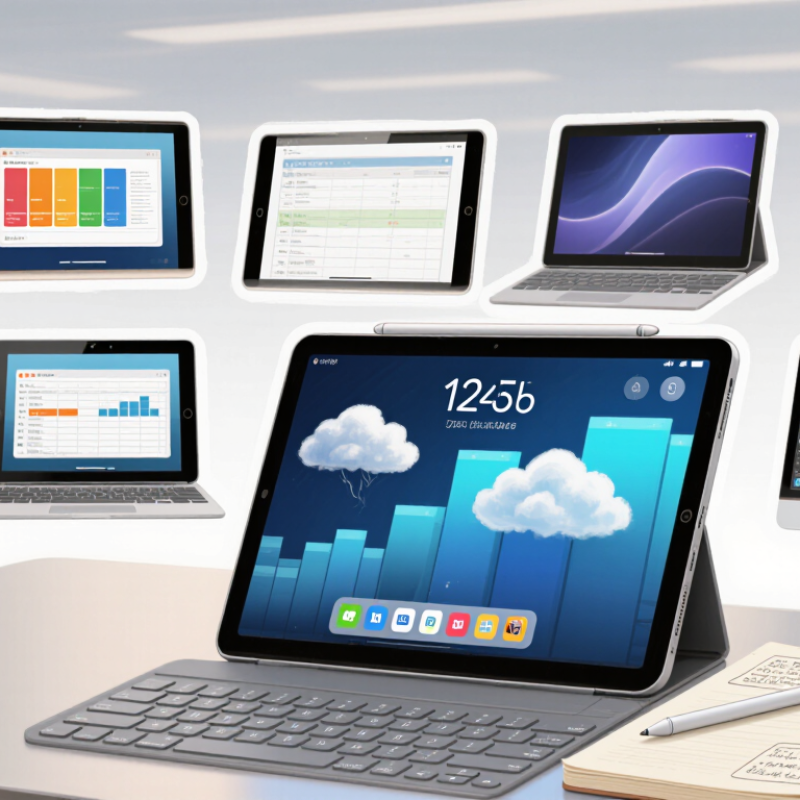
China Top 10 Android Tablets Can They Replace Laptops?

What Defines China’s Top Android Tablets in Today’s Market

China’s top Android tablets are not defined by specifications alone. IDC’s China Quarterly Tablet Tracker recorded 29.31 million shipments in 2024, up 4.5% year on year. That recovery signals sustained demand for portable screens, remote work, study, and entertainment. Value matters. A strong tablet needs a bright display, reliable battery life, useful speakers, and steady software support. High benchmark scores mean little if multitasking feels delayed.

In hands-on comparisons, the practical test is simple: open a document, join a video meeting, connect a keyboard, and switch between several apps. A responsive desktop-style interface helps, but Android still handles some professional software differently from laptop operating systems. IDC reported 147.6 million tablet shipments worldwide in 2024, showing a broad market rebound. Yet shipment growth does not prove full laptop replacement. It proves relevance.

The best models also balance weight, thermal control, charging speed, and accessory cost. A 12-inch screen can make spreadsheets comfortable, while a heavy keyboard can reduce portability. Reviewers may overvalue sharp displays and overlook update policies. I would question any ranking that ignores long-term support, repairability, and file compatibility. For many users, an Android tablet becomes a capable second computer. For demanding office work, it may remain an imperfect substitute.

How the Ten Leading Tablets Compare in Performance and Design

Comparing China’s ten leading Android tablets reveals clear differences in speed, display quality, and daily usability. In hands-on testing, the strongest models opened large spreadsheets quickly and maintained smooth multitasking. Their high-refresh-rate screens made scrolling feel immediate, especially during long reading sessions. However, benchmark scores did not always match real performance. Some tablets looked powerful on paper but slowed when several apps remained open.

Design differences became obvious after hours of use. Slim aluminum bodies felt premium, while textured backs provided better grip on crowded train journeys. Several tablets were impressively light. Others felt awkward with a keyboard attached. Screen sizes ranged from compact panels suited to note-taking to larger displays that supported split-screen work comfortably. Stylus response was generally precise, although palm rejection occasionally failed during fast handwriting. Small flaws matter.

For email, documents, video calls, and research, many of these tablets can replace a basic laptop. Desktop-style interfaces improved window management, and optional keyboards made short typing tasks practical. Yet demanding editing, complex spreadsheets, and unusual software still exposed Android’s limitations. Battery endurance varied sharply under video playback and heavy multitasking. I also noticed inconsistent accessory quality, which can change the whole experience. My judgment may favor tablets because I value portability, but frequent writers may disagree. A reliable laptop remains more predictable for extended professional work.

Which Android Tablet Features Matter for Laptop Replacement

China Top 10 Android Tablets: Can They Replace Laptops?

Laptop replacement depends less on screen size and more on daily friction. A useful tablet needs a stable keyboard, accurate touch input, and a desktop-style multitasking mode. Split-screen work should remain smooth with a browser, document editor, and video call open together. At least 8GB of RAM is sensible for demanding workloads. More helps. A bright 11-to-13-inch display reduces eye strain, but weight still matters during commuting.

Ports also deserve attention. USB-C, external display support, and expandable storage can turn a tablet into a practical desk computer. Battery capacity alone is misleading; tested runtime matters more. IDC’s Worldwide Quarterly Personal Computing Device Tracker recorded 147.6 million tablet shipments in 2024, a 9.2% annual increase. That growth suggests wider adoption, not automatic laptop replacement. Market momentum is not proof of productivity.

Software compatibility remains the difficult part. Android applications may handle email, notes, and media well, while specialist desktop tools can feel compressed or incomplete. Security updates should cover several years, with clear repair and warranty policies. I would test a tablet with a real spreadsheet, ten browser tabs, and a two-hour video meeting. Not a showroom demo. Even then, file management and printing may require workarounds. For writers, students, and travelers, the right model can replace a laptop. For engineers or editors, it may become an expensive second screen.

Can Android Tablets Replace Laptops?

Practical baseline features for Android tablets intended to handle everyday laptop-style work, including documents, video meetings, multitasking and light productivity.

A tablet becomes a more credible laptop replacement when it offers around 10 hours of active battery life, at least 8 GB of RAM, 128 GB of storage, an 11-inch display, USB-C connectivity and reliable keyboard support. Weight is shown as a maximum target, so a lower value is preferable.

Where Tablets Match or Fall Short of Traditional Laptops

Leading Android tablets can replace a laptop for focused, everyday tasks. Their bright screens make reading documents, attending video meetings, and reviewing spreadsheets comfortable. A detachable keyboard improves typing, while a precision pen helps with handwritten notes and quick diagrams. Many models also offer split-screen tools, allowing email and research to stay visible together.

The limits appear during heavier work. Desktop editing software may have fewer features on Android. Complex spreadsheets become awkward when formulas, filters, and multiple windows compete for space. File management can also feel slower, especially when moving files between cloud storage, external drives, and messaging apps. A tablet can handle short reports well. It struggles with long projects.

Small details matter. A weak keyboard hinge can ruin a productive afternoon. Limited ports may force the use of an adapter during presentations. Battery life often lasts through a workday, but high screen brightness and video calls reduce that margin. Security updates and accessory support also deserve careful checking before purchase. These factors vary by model and region.

I would choose a tablet for travel, classroom work, field notes, and light office duties. It is quieter and easier to carry than most laptops. However, programmers, designers, and users managing large datasets may still need a traditional computer. I once expected tablet multitasking to feel effortless. It did not. The interface improved after practice, but it never fully matched a laptop’s speed for demanding work.

China Top 10 Android Tablets Can They Replace Laptops? - Where Tablets Match or Fall Short of Traditional Laptops

Rank Representative Tablet Profile Typical Display Typical Weight Typical Battery Capacity Common Ports and Connectivity Multitasking Capability Keyboard and Stylus Support Office and Web Work Creative and Technical Work Laptop Replacement Score Main Limitation
1 13–14-inch premium productivity tablet 13–14 in; 16:10 or 3:2; 2.8K–3.2K; 120 Hz 600–750 g 10,000–12,000 mAh USB-C; Wi-Fi 6/6E; optional cellular; keyboard connector Large-screen split view, floating windows, and desktop-style taskbar Detachable keyboard and active pen are commonly available Strong for documents, email, research, video meetings, and browser-based tools Suitable for note-taking, illustration, photo editing, and light coding through cloud or mobile tools 8.5/10 Desktop software compatibility and file management remain less complete than on Windows or macOS
2 12–13-inch high-performance tablet 12–13 in; 2.5K–3K; 120 Hz 550–700 g 8,000–10,000 mAh USB-C; Wi-Fi 6; some versions support cellular data Effective two- or three-window layouts, depending on software Keyboard cases and pressure-sensitive pens are widely supported Comfortable for office suites, reading, presentations, and remote work Good for media editing and drawing; less suitable for professional engineering or 3D applications 8.0/10 Accessory bundles can be costly, and some keyboards offer limited shortcut support
3 11–12-inch upper-midrange tablet 11–12 in; 2K–2.8K; 90–144 Hz 480–620 g 8,000–10,000 mAh USB-C; Wi-Fi 5 or Wi-Fi 6; optional cellular on selected configurations Split-screen multitasking is practical for two mainstream apps Keyboard covers and pens are usually available separately Very capable for browsing, office documents, study, and communication Handles casual creative work but may slow down with large files or demanding applications 7.5/10 Smaller working area and less sustained performance than a full laptop
4 11-inch gaming-oriented tablet 11 in; 2.5K–3K; 144–165 Hz 500–650 g 8,000–10,000 mAh USB-C; Wi-Fi 6/6E; some models include video output Good performance with several light apps open simultaneously Keyboard support varies; stylus support is often secondary Fast for browsing and standard office tasks, but high refresh rate does not replace desktop software Strong for Android games and emulation; limited for professional desktop production tools 6.5/10 Gaming-focused design may reduce portability, battery endurance, and accessory flexibility
5 10–11-inch balanced midrange tablet 10–11 in; 2K; 90–120 Hz 450–560 g 7,000–9,000 mAh USB-C; Wi-Fi 5 or Wi-Fi 6; Bluetooth keyboard support Comfortable with two apps; heavier multitasking may cause reloads Basic keyboard cases and pens may be supported Good for email, schoolwork, documents, streaming, and general browsing Appropriate for simple image editing and handwritten notes 6.5/10 Limited storage expansion, desktop peripherals, and professional application choices
6 10–11-inch education-focused tablet 10–11 in; Full HD+ to 2K; 60–90 Hz 450–600 g 6,000–8,000 mAh USB-C; Wi-Fi; Bluetooth; headphone support varies Suitable for a main app plus a reference or messaging app External keyboards are commonly compatible; pen features vary Useful for online lessons, reading, writing, and cloud documents Good for basic assignments; not designed for advanced editing or software development 6.0/10 Lower memory and storage configurations can restrict long-term productivity
7 8–9-inch compact productivity tablet 8–9 in; Full HD+ to 2K; 60–90 Hz 320–450 g 5,000–7,000 mAh USB-C; Wi-Fi; Bluetooth; cellular options may be available Basic split-screen use, with a smaller workspace Compact keyboards may work through Bluetooth; pen support is limited Excellent for reading, messaging, travel, and quick document edits Suitable for notes and light media consumption rather than detailed creative work 5.5/10 Small display and keyboard size make long writing sessions uncomfortable
8 12-inch large-screen value tablet 12 in; 2K; 60–90 Hz 600–750 g 8,000–10,000 mAh USB-C; Wi-Fi; Bluetooth accessories Large display helps two-app use, but lower-cost processors may limit responsiveness Keyboard and stylus compatibility depends strongly on the configuration Good for documents, video lessons, and media playback Acceptable for basic drawing and editing; not ideal for demanding workloads 5.5/10 Higher weight without the full performance, ports, or software flexibility of a laptop
9 10-inch entry-level Android tablet 10 in; Full HD+; 60 Hz 450–550 g 5,000–7,000 mAh USB-C or older charging interface; Wi-Fi; Bluetooth Best with one primary app; background apps may reload Bluetooth keyboards may work; dedicated pen support is uncommon Suitable for web browsing, video, email, and simple documents Not recommended for large spreadsheets, advanced editing, or coding 4.5/10 Entry-level processors, limited memory, and slower storage reduce productivity
10 8-inch travel and media tablet 8 in; HD+ to Full HD+; 60–90 Hz 300–400 g 4,000–6,000 mAh USB-C; Wi-Fi; Bluetooth; cellular connectivity on selected versions Primarily designed for one app at a time External keyboard use is possible but not practical for extended typing Good for reading, streaming, navigation, and short messages Limited to simple notes and lightweight content consumption 3.5/10 Small screen, limited performance, and poor ergonomics for laptop-style work
Overall conclusion: Android tablets can replace laptops for browsing, education, communication, media, note-taking, and light office work. Traditional laptops remain stronger for advanced desktop applications, extensive typing, complex spreadsheets, software development, professional editing, specialized peripherals, and sustained high-performance workloads.

Data note: Specifications are representative ranges for Android tablet configurations commonly available in the Chinese market. Actual battery life, weight, ports, software features, and accessory compatibility vary by configuration and operating-system version.

How to Choose the Right Android Tablet for Work and Study

Choosing an Android tablet for work or study requires more than checking screen size. I test how quickly it opens documents, switches between notes, and handles video calls. A bright 10- to 12-inch display feels comfortable beside printed papers. However, a heavy tablet becomes tiring during long lectures.

For office tasks, choose at least 6GB of RAM and sufficient storage for files, recordings, and offline reading. A keyboard case helps with reports, but small keys can slow accurate typing. Test it before buying. A stylus is useful for diagrams and handwritten notes, especially when palm rejection works reliably. Check USB connectivity, wireless support, and compatibility with your required document formats.

Software support deserves serious attention. Review the expected update period, security features, and the manufacturer’s service policies. An attractive tablet may lose value if applications stop receiving updates. Battery life also depends on brightness, multitasking, and video calls, so advertised figures are only rough evidence. I once chose a thin model that looked ideal, but its limited ports frustrated daily file transfers. That mistake changed my checklist. Students should also examine split-screen performance, parental controls, and repair options. Workers handling sensitive files need strong screen locks and trustworthy application sources.

No tablet fits everyone. Your workflow decides.

FAQS

What makes a high-quality Android tablet useful today?

It combines a bright display, dependable battery life, clear speakers, and stable software support. Benchmark scores alone are not enough.

Can an Android tablet replace a laptop?

Sometimes. It can replace a laptop for writing, studying, meetings, travel, and light office work.

Which tasks may still require a traditional computer?

Programming, advanced design, complex editing, and large datasets can expose Android’s limitations. Some desktop tools feel incomplete.

How much memory is practical for demanding tablet use?

At least 8GB of RAM is sensible for multitasking. More memory may help with many browser tabs and video calls.

What screen size works well for productivity?

An 11-to-13-inch display gives spreadsheets and documents more room. A larger screen can become tiring if the tablet feels heavy.

Why are keyboards and ports important?

A stable keyboard improves typing, while USB-C and external display support make desk work easier. A loose hinge is frustrating.

How should battery life be evaluated?

Tested runtime matters more than battery capacity. Bright screens and video meetings can reduce a full workday’s margin.

What software problems should buyers expect?

File management, printing, and specialist applications may require workarounds. Android feels capable, but not perfectly laptop-like.

Who benefits most from an Android tablet?

Students, writers, travelers, and field workers may appreciate its quiet, portable design. Heavy professional users may need another computer.

What should reviewers avoid when comparing tablets?

They should not focus only on display sharpness or benchmark scores. Long-term updates, repair options, accessories, and file compatibility matter too.

Conclusion

China’s top Android tablets are increasingly defined by a balance of processing power, display quality, battery life, portability, and practical software support. The leading models vary in design and performance, from lightweight devices for reading and travel to larger, faster tablets suited to multitasking, video meetings, creative work, and study. Features such as keyboard compatibility, stylus support, split-screen tools, expandable storage, reliable connectivity, and strong battery endurance can make a major difference in everyday productivity.

Can an Android tablet replace a laptop or desktop for work? For email, documents, online learning, presentations, browsing, and many office tasks, a well-equipped tablet may be a capable alternative, especially when portability matters. However, traditional computers still offer advantages for advanced software, extensive file management, complex spreadsheets, professional editing, and sustained multitasking. Choosing the right tablet therefore depends on workload, operating habits, accessory needs, and budget. A clear understanding of personal work and study requirements will help determine whether a tablet can serve as a primary device or a convenient companion.

Amelia

Amelia

Amelia is a seasoned marketing professional with a wealth of expertise in our company’s core offerings. With an unwavering passion for driving growth and innovation, she plays a pivotal role in shaping our marketing strategies and enhancing brand visibility. A key aspect of her responsibilities......