Choosing the right tablet for kids’ learning is a significant decision. Parents often wonder, "What features should I look for in a tablet for kids’ learning?" The right device can enhance engagement and foster a love for learning. When selecting a tablet, consider durability, user interface, and educational content.
Durability is crucial. Kids can be rough on devices, so a sturdy construction is essential. Look for tablets with drop-resistant designs and protective cases. A kid-friendly interface can also make a difference. Simple navigation helps children learn without frustration.
Additionally, consider the availability of educational apps. Quality educational content can make learning enjoyable and effective. Some tablets offer parental controls, allowing you to monitor usage. These features help ensure a safe and productive learning environment. Overall, it’s about finding a balance between fun and education. Reflecting on your child’s needs will guide your choice.
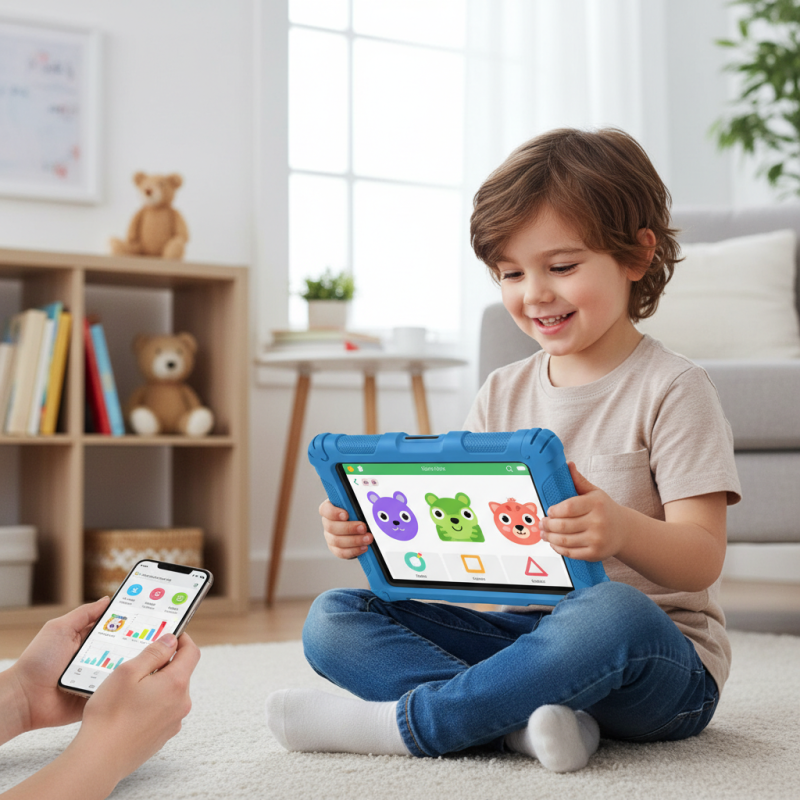
When choosing a kid-friendly tablet, several key considerations come into play. Display quality is crucial. A bright, clear screen enhances the learning experience, making educational apps and videos more engaging. Look for tablets with adjustable brightness to protect young eyes during extended use. Battery life is another important factor. A long-lasting battery ensures that learning activities can continue without frequent interruptions.
Parental controls are vital. They allow guardians to monitor usage and limit screen time. A user-friendly interface can help kids navigate the tablet independently. It's essential to consider the availability of educational apps, too. Various learning tools can boost creativity and critical thinking skills. Not all tablets cater to educational content equally, so research may be necessary.
Ruggedness can’t be overlooked. Young learners can be clumsy. A durable design protects against drops and spills. However, even the sturdiest tablets can fail, reminding us to maintain a balance between protecting devices and the learning experience. Reflect on how a tablet fits into your child's daily routine. It should enhance, not replace, vital hands-on learning opportunities.
When choosing a tablet for children's learning, safety features are paramount. A robust parental control system is essential. This allows parents to manage content access easily. It also helps in monitoring screen time, which can prevent excessive use. An age-appropriate interface is crucial as well. Kids need a straightforward layout that's easy to navigate. Complicated menus can be frustrating for young learners.
Durability should not be overlooked. Tablets designed for children often come with reinforced cases. These protect against drops and spills. Look for tablets with a warranty that covers accidental damages. Additionally, ensure the tablet has a blue light filter. This feature helps protect young eyes during prolonged use.
Privacy and security are fundamental, too. Children’s tablets should have secure login options. Strong encryption will ensure that personal data is protected. Some devices offer a guest mode, allowing safe exploration without exposing sensitive information. Trustworthy devices often provide regular updates for enhanced security. These factors contribute to a safer learning environment for children.
When selecting a tablet for kids, compatibility with educational apps and content is crucial. In recent studies, it was found that 79% of parents prioritize access to quality apps for their children's learning. The right educational content can greatly enhance engagement and retention. Each child learns differently, and having a tablet that supports diverse learning platforms is essential.
When examining educational apps, look for those that are well-reviewed by educators. For instance, apps that align with state learning standards can significantly improve educational outcomes. A survey indicated that children using tablets integrated with interactive learning tools showed a 30% increase in math and reading skills. However, not all apps are created equal. Some may lack proper educational value, which can mislead both parents and children.
Parents should also consider the device's ability to support various content formats. Resources like videos, audiobooks, and interactive games enrich the learning process. But with an overwhelming number of options available, it's easy to get lost in poor quality content. Continuous evaluation and feedback from educators and experts can guide parents toward the best choices. Balancing fun and learning is key for effective educational experiences.
| Feature | Description | Importance Rating (1-5) |
|---|---|---|
| Durable Design | Should be able to withstand drops and spills. | 5 |
| Parental Controls | Allows parents to manage screen time and content access. | 4 |
| Educational Apps | Must support a variety of learning applications for different subjects. | 5 |
| Screen Size | A suitable size for reading and interaction, generally 7-10 inches. | 4 |
| Battery Life | Long battery life to support extended use without frequent charging. | 5 |
| User-Friendly Interface | Intuitive and easy-to-navigate interface for children. | 4 |
| Content Compatibility | Ability to access a wide range of ages-appropriate content. | 5 |
| Wi-Fi Connectivity | Reliable internet connection for online learning resources. | 4 |
When selecting a tablet for children's learning, screen size and display quality play crucial roles. A larger screen can enhance the learning experience. Young learners benefit from visuals that are easy to see. A tablet with a display between 8 to 10 inches is often ideal for kids. This size strikes a balance between portability and usability.
Display quality is equally important. Children need vibrant colors and sharp details to stay engaged. High-resolution screens offer clearer images and text. Poor display quality can frustrate kids and impede learning. Consider options with a durable screen, too. Young learners can be careless, and a strong screen can withstand rough handling.
While many tablets boast excellent specs, it is essential to find one that fits your child's needs. Sometimes, lower-priced options have surprisingly good displays. However, features might be missing. Remember to weigh the trade-offs carefully. A balance between screen size and quality is key for a fulfilling learning experience.
When choosing a tablet for kids' learning, battery life and durability are crucial. Kids can be tough on devices. A tablet that lasts for several hours on a single charge is important. Look for models that can run for at least eight hours. This ensures uninterrupted educational activities.
Durability is another key factor. Kids often drop or spill things on their devices. Tablets with reinforced screens and sturdy cases can withstand daily wear and tear. A kid-proof design reduces the anxiety parents face regarding potential damage. A well-built tablet allows kids to explore and learn without constant supervision.
Ensure the tablet you choose has a decent warranty. This indicates the manufacturer's confidence in its product. Users should also check reviews from other parents. Seek experiences that highlight durability and battery performance. Real-world insights can help gauge whether a tablet meets the demands of active children. Aim for a balance between technology and resilience, lest the learning experience become frustrating.
: Display quality is important. A bright, clear screen makes learning more engaging.
Look for robust parental controls. They help manage content and screen time.
Kids can be clumsy. A rugged design protects against drops and spills.
Yes, educational apps enhance creativity and critical thinking skills.
A blue light filter is essential. It reduces eye strain during prolonged use.
Use parental controls. They allow you to track and manage screen time easily.
No, tablets should enhance, not replace, traditional learning methods.
Choose devices with secure logins and strong encryption for personal data protection.
Definitely, a simple layout helps kids navigate without frustration.
Consider warranties that cover accidental damages. Reflect on usage habits.
When considering "What features should I look for in a tablet for kids’ learning?", several key factors must be taken into account to ensure a safe and effective learning environment. First, it's essential to focus on safety features, such as parental controls and robust durability, to withstand the rigors of children's use. Additionally, the compatibility with educational apps and content can significantly enhance the learning experience, allowing for interactive and engaging educational opportunities.
Moreover, the tablet's screen size and display quality play a critical role in young learners' ability to absorb information effectively. A larger, high-resolution display can aid in comprehension and reduce eye strain. Lastly, a long-lasting battery life is crucial, as it allows children to engage in learning activities without frequent interruptions. Overall, selecting a tablet that meets these considerations can greatly contribute to a productive learning experience for children.

Elite Smartphone